

FOH Visual · Hotels & event venues
Let planners walk your property before they ever call.
FOH Visual turns your property into a tour with the meeting specs built in. Your sales team sends each planner a private Deal Room in minutes, with the right spaces, the right documents and a real person to talk to.
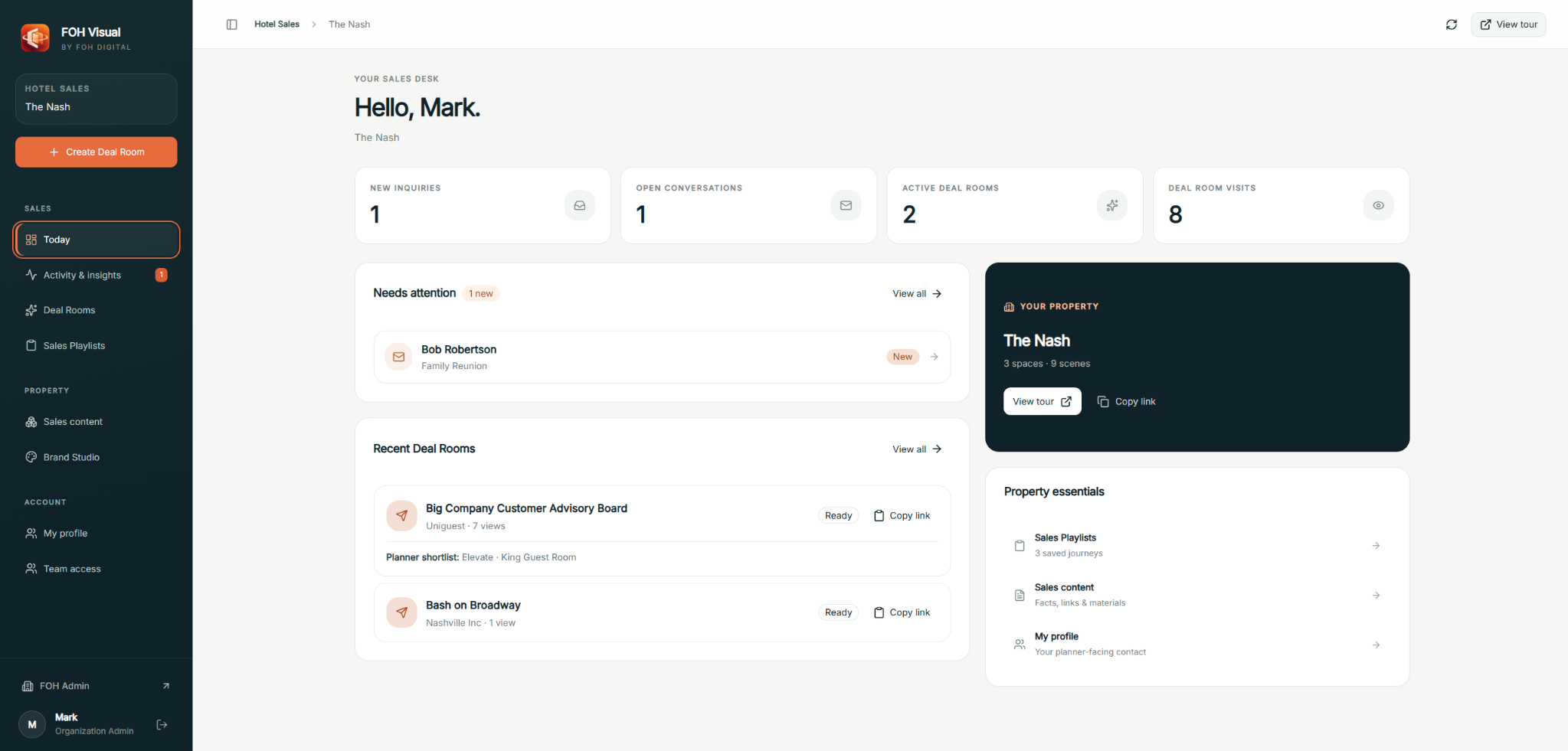 FOH Visual · Sales home
The problem
The planner shouldn’t have to assemble the hotel in their head.
Today a planner gets a capacity chart in one PDF, a floorplan in another, a photo gallery on the website and a sales email that tries to tie it together.
They’re trying to picture how forty people get from registration to the ballroom to the rooftop reception, and whether the breakout rooms are close enough. Usually that takes a site visit, which takes a trip, which takes time neither side has.
FOH Visual puts it in one place: walk the space, see the numbers beside it, open the documents that matter, and know exactly who to call.
Five attachments, three versions, and still no sense of how the rooms connect.
One link. The right rooms, in order, with the numbers beside them. Example with sample data.
What is FOH Visual?
FOH Visual is sales software for hotels and event venues: a 360 tour of the property with spaces, capacities, floorplans and documents built in, plus private Deal Rooms your sales team prepares for each opportunity.
How it works
Build the property once. Sell it every day.
Three layers, one property. Each one does a single job well.
The tour, with the meeting specs in it.
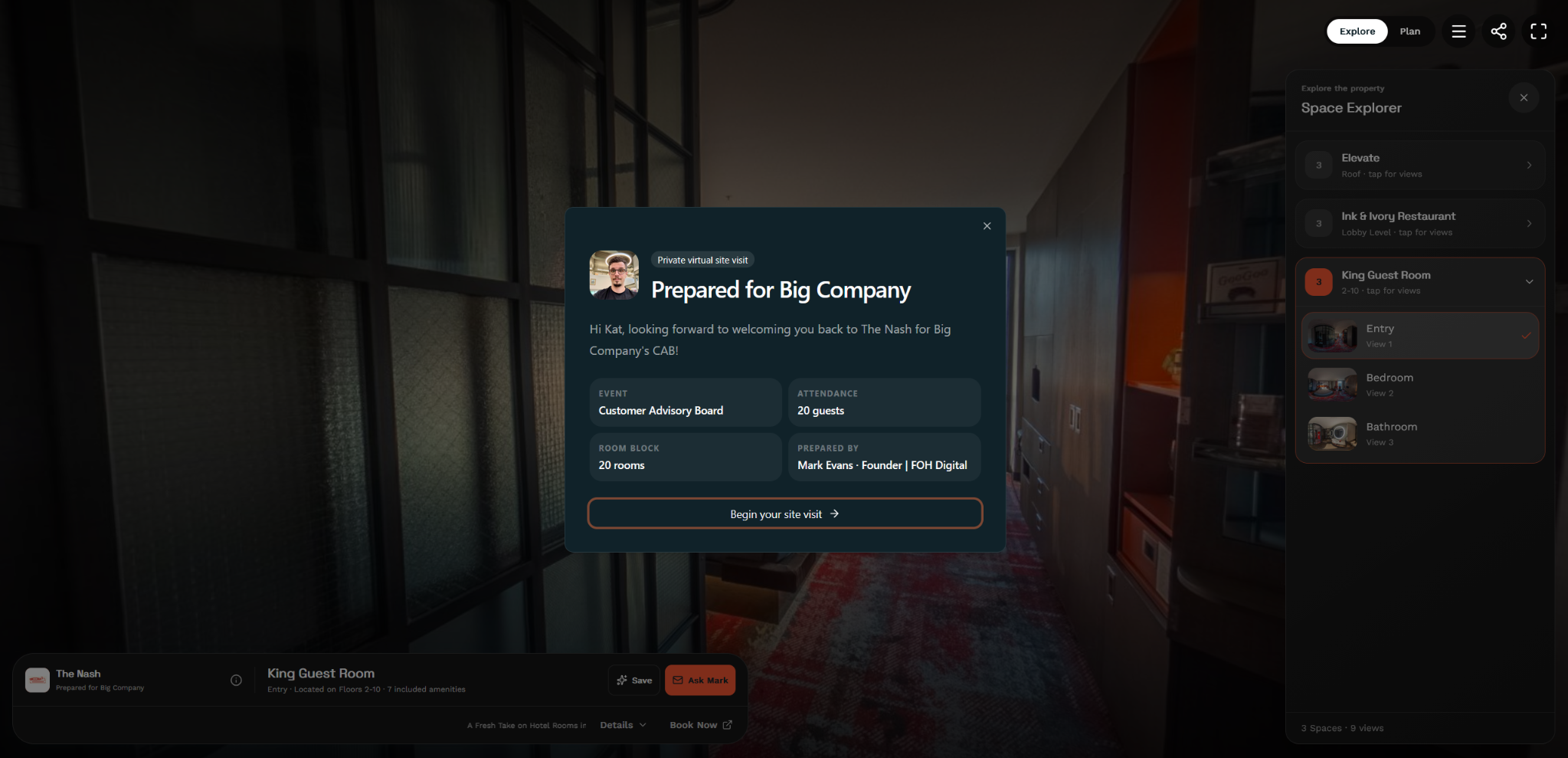
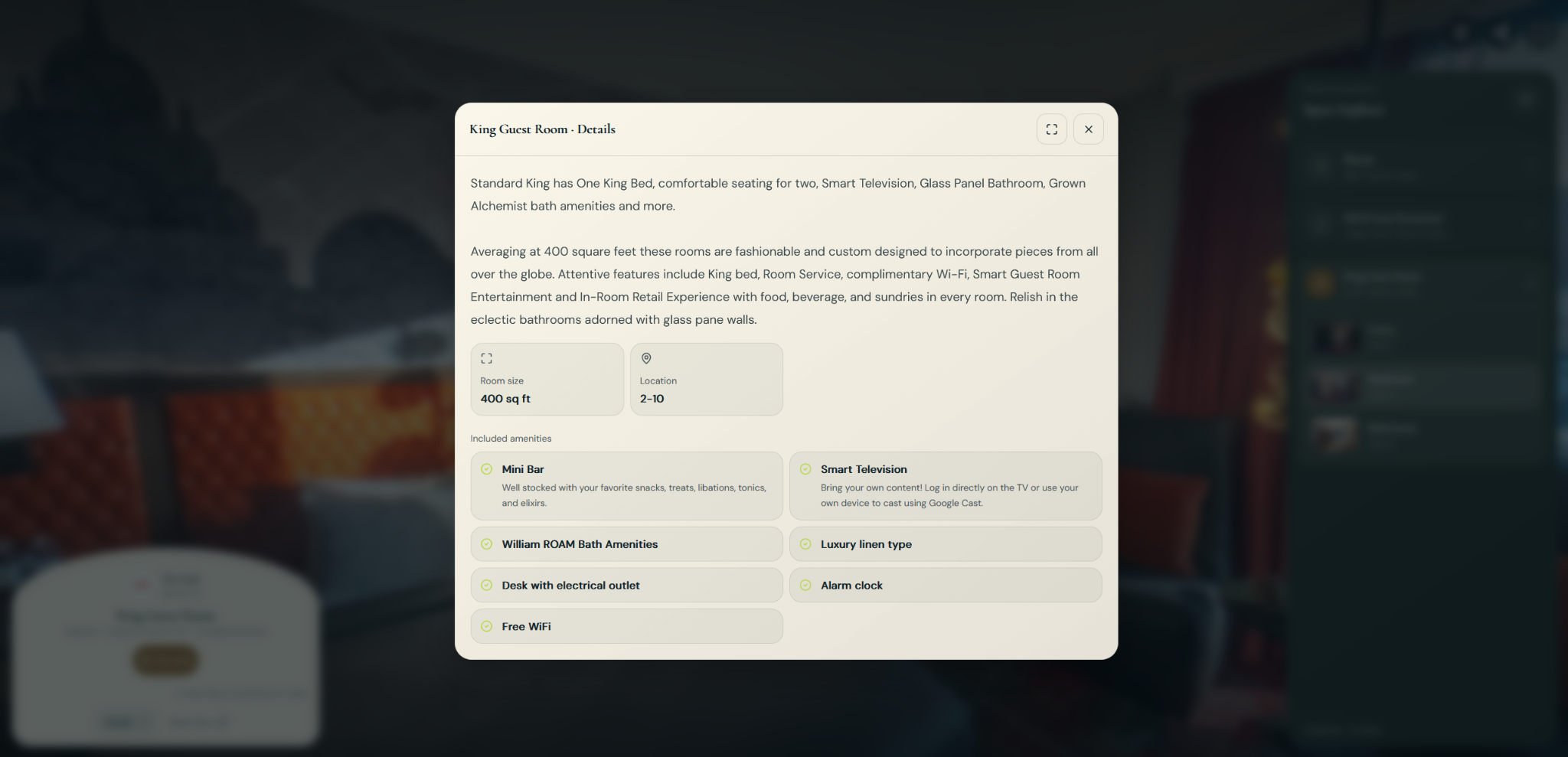
We capture your property in 360 and attach what planners actually ask for to each space. The Space Bar beside the tour shows capacities by setup, dimensions, floorplans, menus and spec sheets for the room they’re standing in.
- Function rooms, outlets and guest rooms in one walkthrough
- Capacities and documents shown in the space they describe
- Kept current when a room is renovated or a menu changes
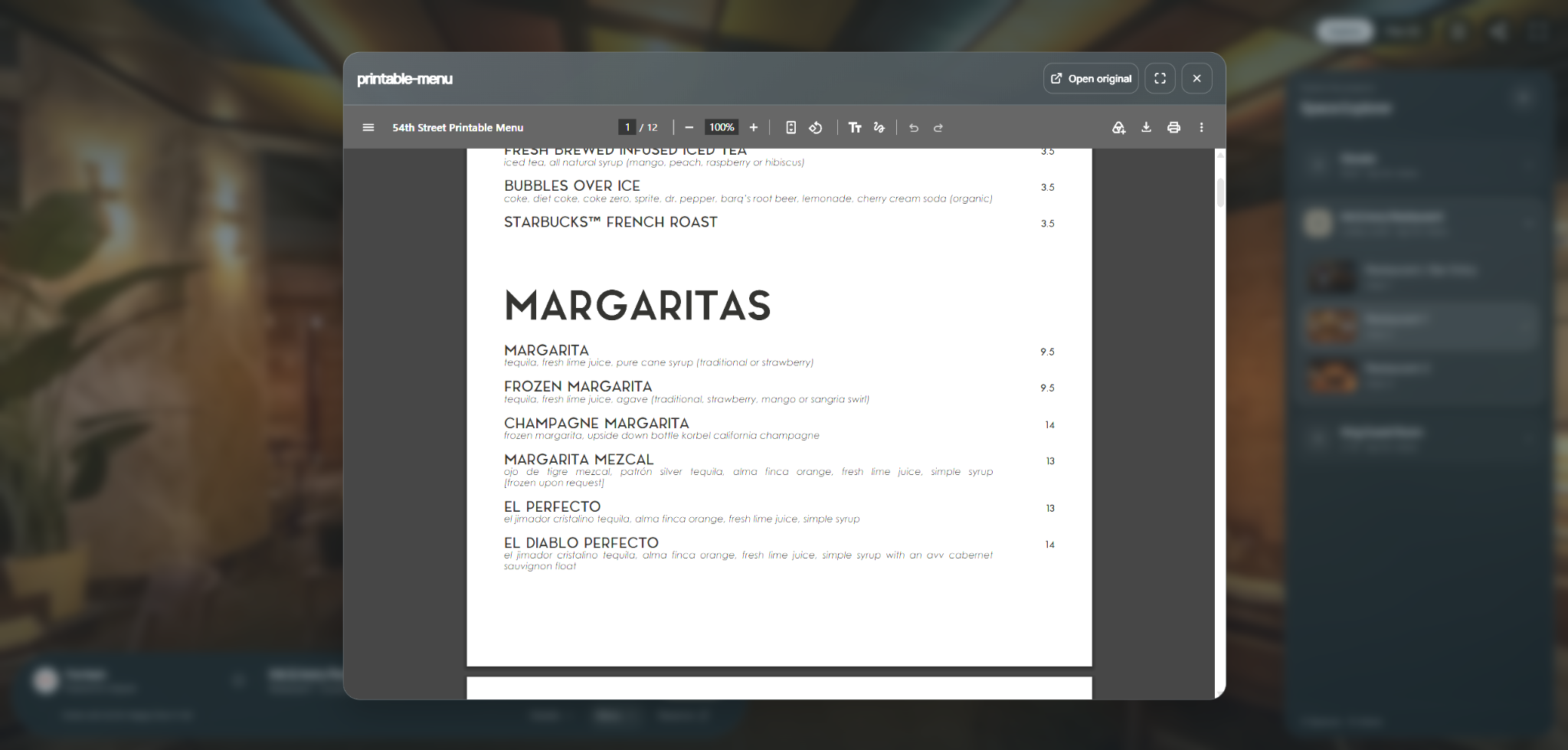
One private link per opportunity.
Your salesperson picks the spaces that fit the group, chooses where the tour starts, adds the proposal and a personal note, and sends one link. It takes minutes, not an afternoon of attachments.
- Shows the salesperson’s name and how to reach them
- Only the spaces and documents that matter for this group
- Set it to expire, decide what can be downloaded, or close it yourself when the deal is done
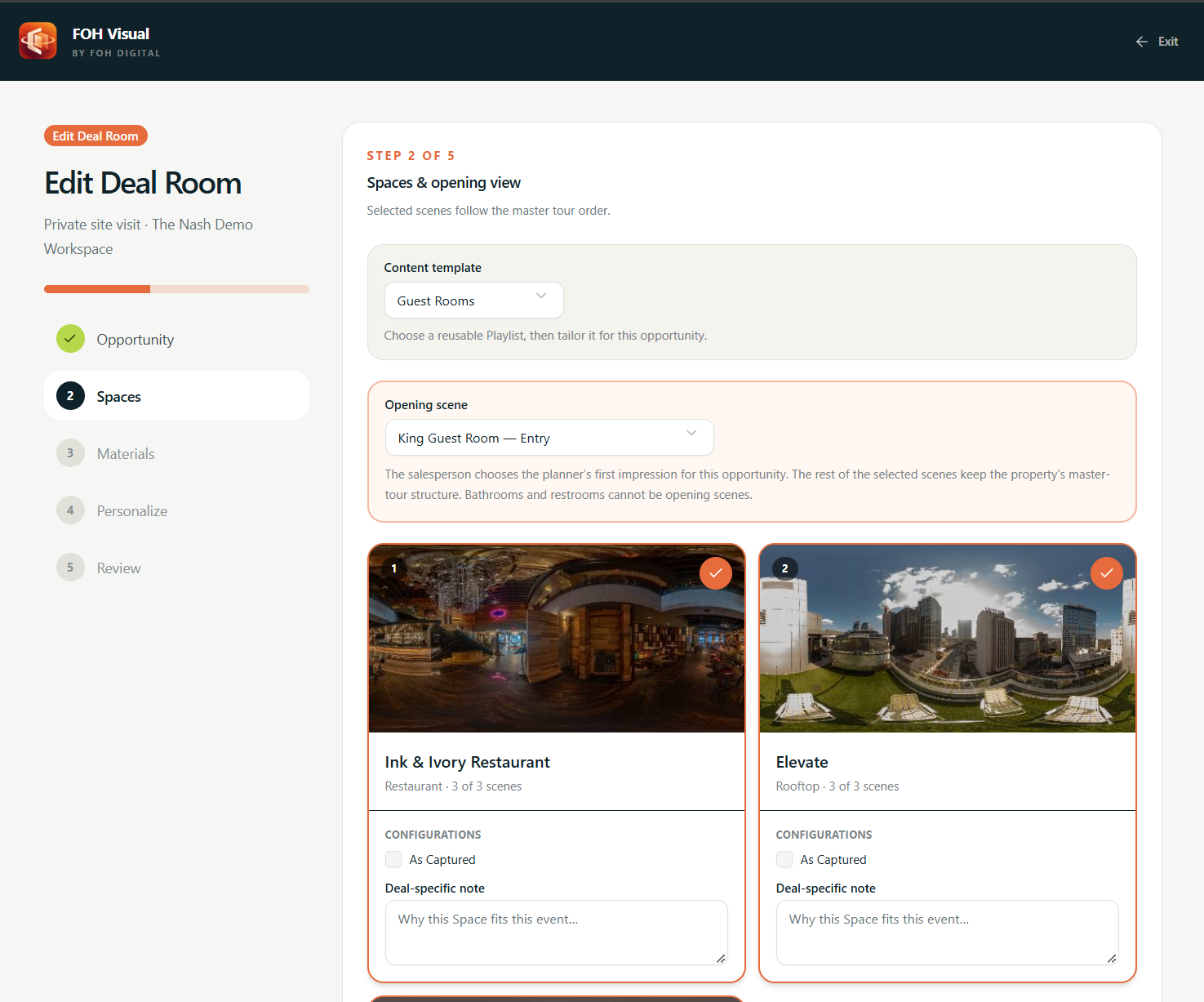
A walkthrough that feels prepared for them.
The planner opens the link on any device. No app, no login. They walk the rooms, shortlist what they like, download what they need and send a question to the right person.
- “Prepared for” their group, in your brand
- Shortlist and download without an account
- Inquiries go to the salesperson who owns the deal
Live demo
Walk through a Live Property.
Rooftop events, a lobby restaurant, guest rooms and a sample Deal Room. Use it the way a planner would.
For event venues
Your rooms are hard to explain on the phone. So stop explaining.
Banquet halls, private dining rooms, breweries with a back room, rooftops. If people book your space for events, the same Digital Property and Deal Rooms work for you.
- Show the flow: entrance, bar, dance floor, the quiet room
- Capacities for seated, reception and theater, right in the room
- Send couples, companies and planners a private link instead of six attachments
Reporting
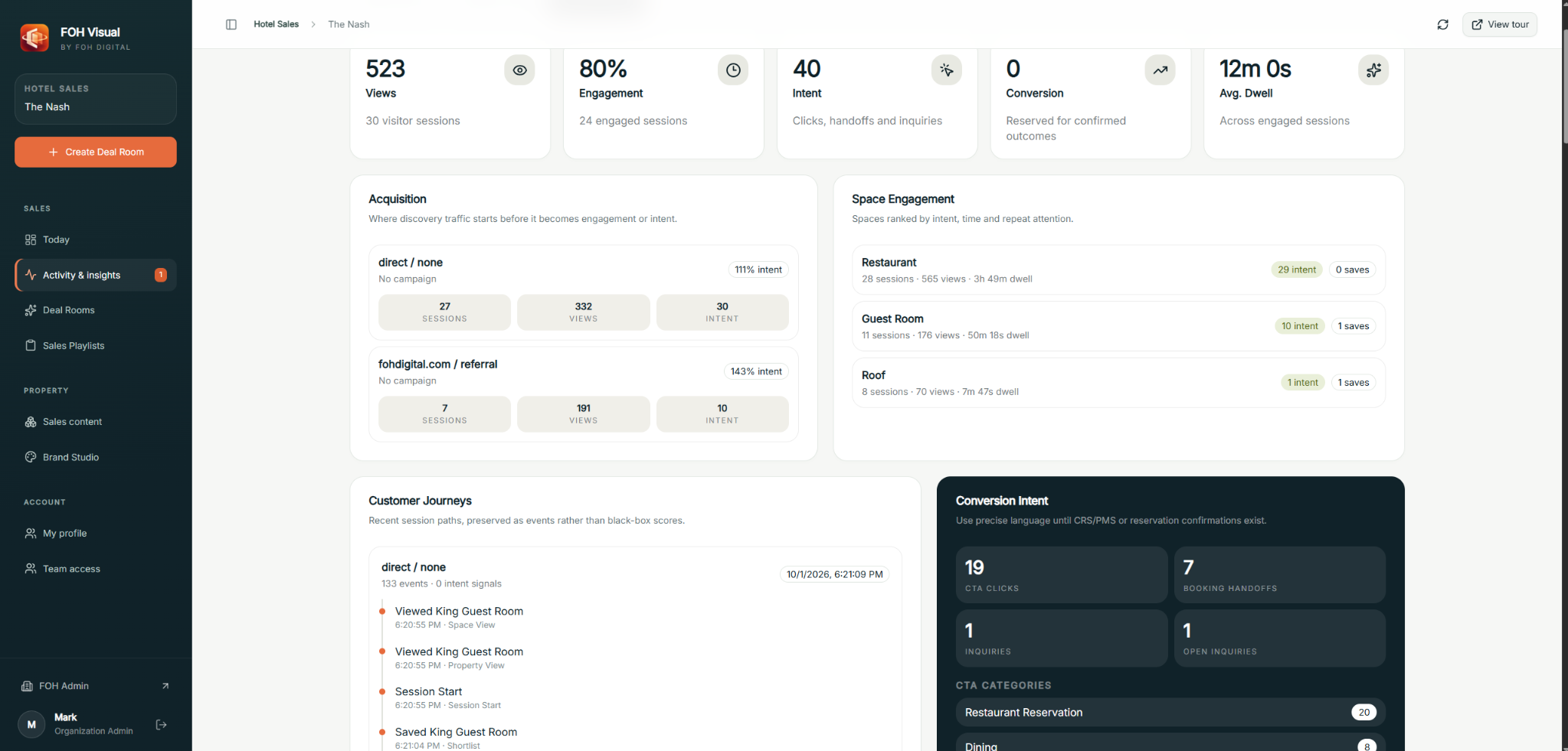
Four numbers. Each one means exactly what it says.
We count four things separately. They aren’t a funnel and we don’t multiply them into a revenue figure.
Also inside
The details that make it yours.
Brand Studio
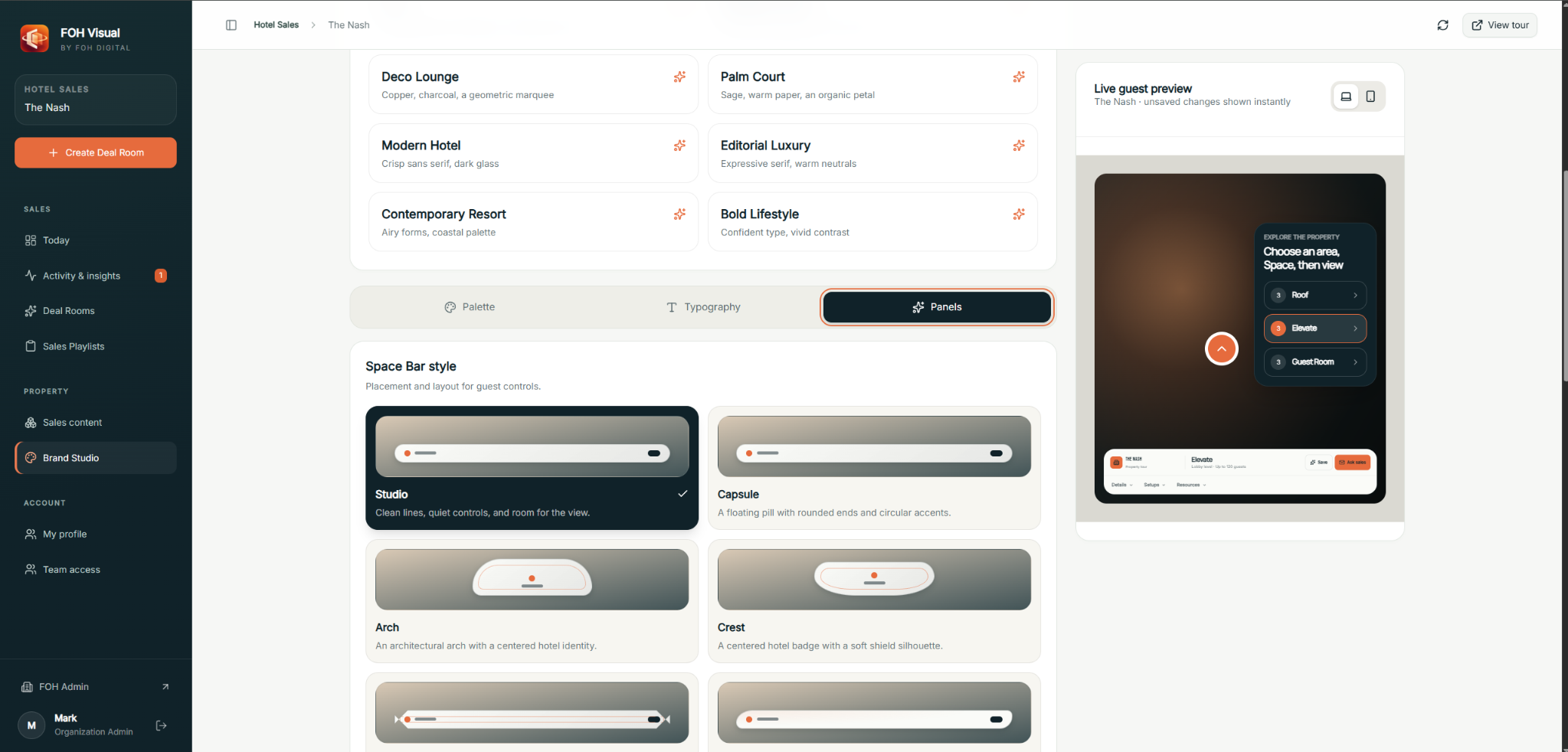
Your logo, colors, Google Fonts and palette on every tour and Deal Room, with a live preview while you edit.
Guest rooms
Room types with their own photos and details, for the attendees deciding whether to stay on property.
Property Insights
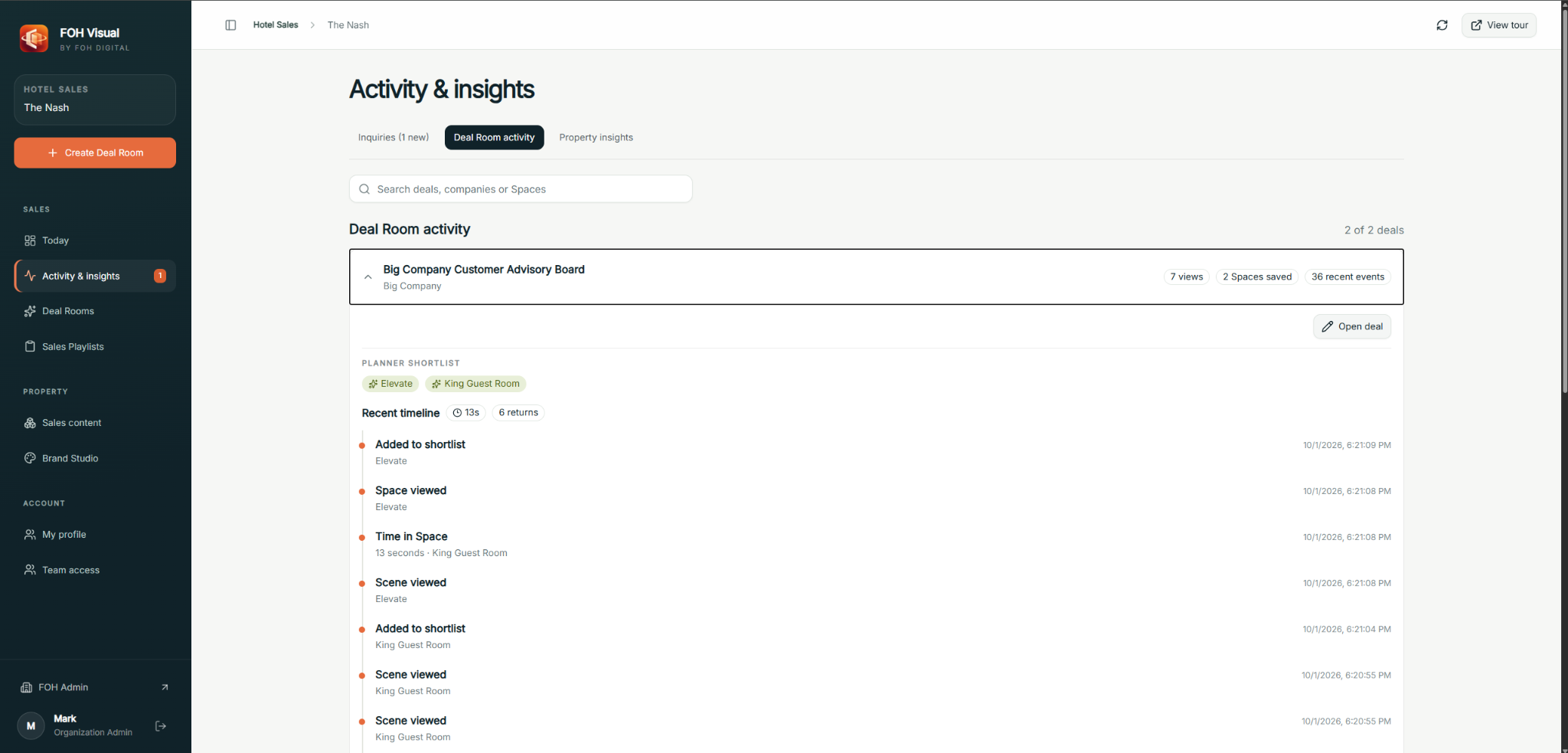
Activity across every tour and Deal Room in one place, so you can see which spaces planners keep coming back to.
Your systems
Every system keeps its job.
FOH Visual sits in front of the systems you already run. It doesn’t replace them, and it doesn’t pretend to be them.
- CRM / Sales & Catering
- Owns the opportunity.Accounts, proposals, contracts and the official record of what booked.
- CRS / Booking engine
- Owns rates and availability.FOH Visual doesn’t check availability or hold space.
- Cvent & lead sources
- Bring the lead.RFPs keep arriving the way they do today.
- FOH Visual
- Owns the property, the experience and the evidence.What the space looks like, what the planner saw, and what they asked.
What FOH Visual doesn’t do
- Hold space or show live availability
- Sync opportunities into your CRM
- Identify the person who opened a link
- Send email on your behalf. Your salesperson sends the link, from their own inbox.
Start with a pilot
Prove it on your property first.
A defined scope, a trained team and a scorecard you agree on before we start.
Agree the scope
Which spaces, which sellers, which kinds of business. And what “working” means to you.
Build the Digital Property
We capture the property and load the specs, floorplans and documents into the tour.
Train the team
Your sellers send their first Deal Rooms with us beside them, on real opportunities.
Review at 30, 60 and 90 days
We look at the four numbers and your team’s feedback against the scorecard.
Book a demo
See it on a real hotel in 20 minutes.
Take a look at a live demo of what your team will be using. Take a look at Deal Rooms and the easy to use interface. We will follow up with you to set up a conversation around next steps.
- A live walkthrough, not a slide deck
- Questions about your spaces and your sales process
- No obligation
Rather pick a time yourself? Book on the calendar ↗
Questions
Straight answers.
Is this just a virtual tour?
The tour is the foundation. What makes it useful for sales is what sits on top: the specs and documents in each space, the Deal Rooms your team prepares for each opportunity, and the reporting on what was opened.
Does it replace Cvent, Delphi or Salesforce?
No. Your CRM or sales and catering system keeps the opportunity, and your lead sources keep sending leads. FOH Visual is what the planner sees between the RFP and the site visit.
Does it check availability or hold space?
No. Rates, availability and holds stay in your systems and with your sales team.
Can you tell me who opened a Deal Room?
No. A Deal Room is a private link: anyone with the link can open it until it expires or you close it. We report what happened in the Deal Room, not who the person was.
How is this different from Matterport or Visiting Media?
Matterport is a capture and 3D tour platform. Visiting Media focuses on immersive sales presentations. FOH Visual is built around the day-to-day sales motion: a property with specs in it, plus a fast way for each seller to send a prepared, private link for each opportunity.
Who builds the Digital Property?
We do. We capture the property, load the specs and documents, and help you keep it current as rooms and menus change.